
Quotezic allows you to easily upgrade, downgrade, or cancel your subscription based on your store’s needs. All subscriptions are billed directly through Shopify.
Follow the steps below to manage your plan and understand how billing works.
Upgrading, Downgrading, or Canceling Your Plan #
Quotezic subscriptions are billed at the store level via Shopify.
To adjust your plan:
- Open your Shopify Admin
- Go to Apps → Quotezic
- Click on the Pricing Plan section
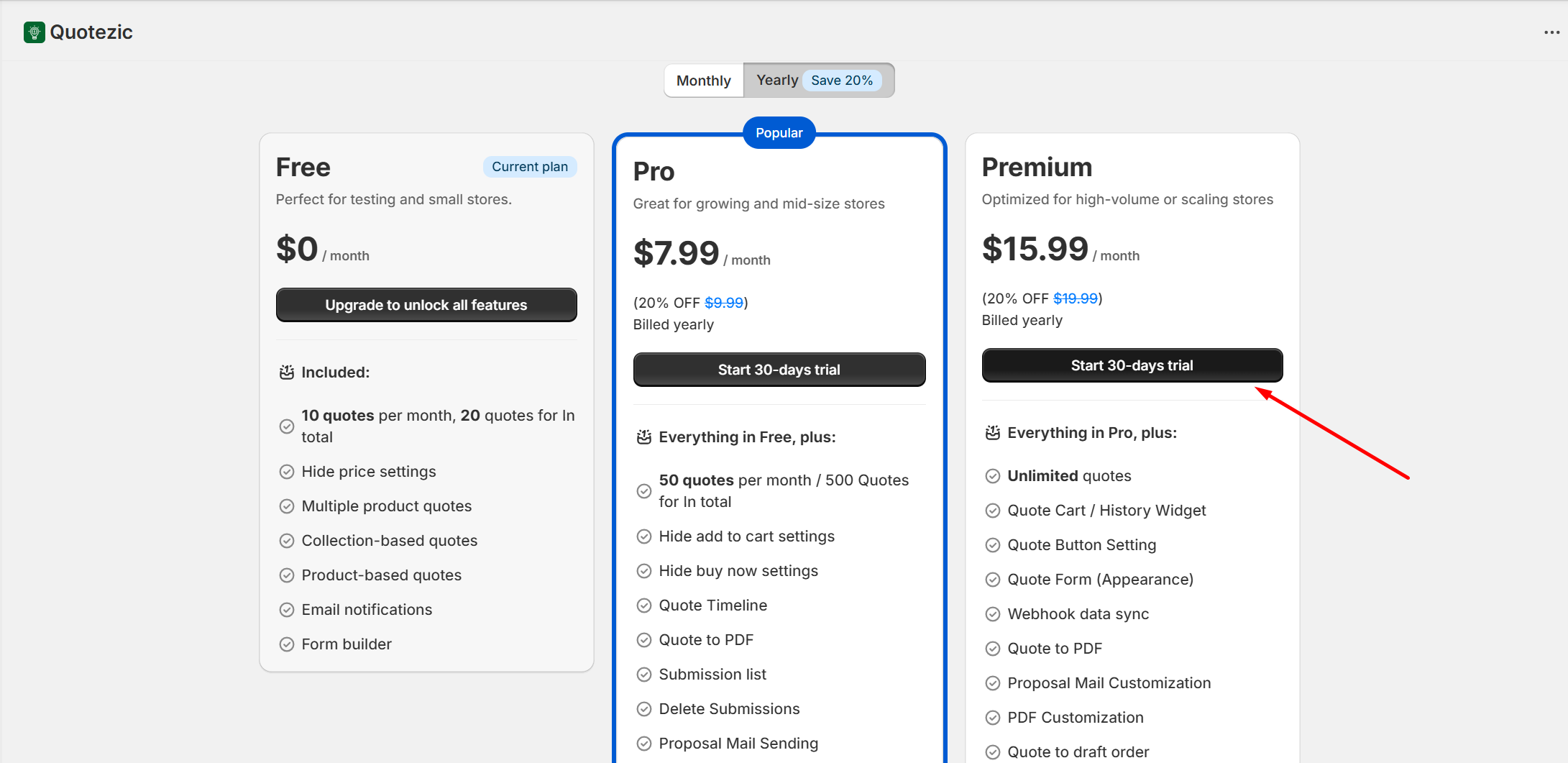
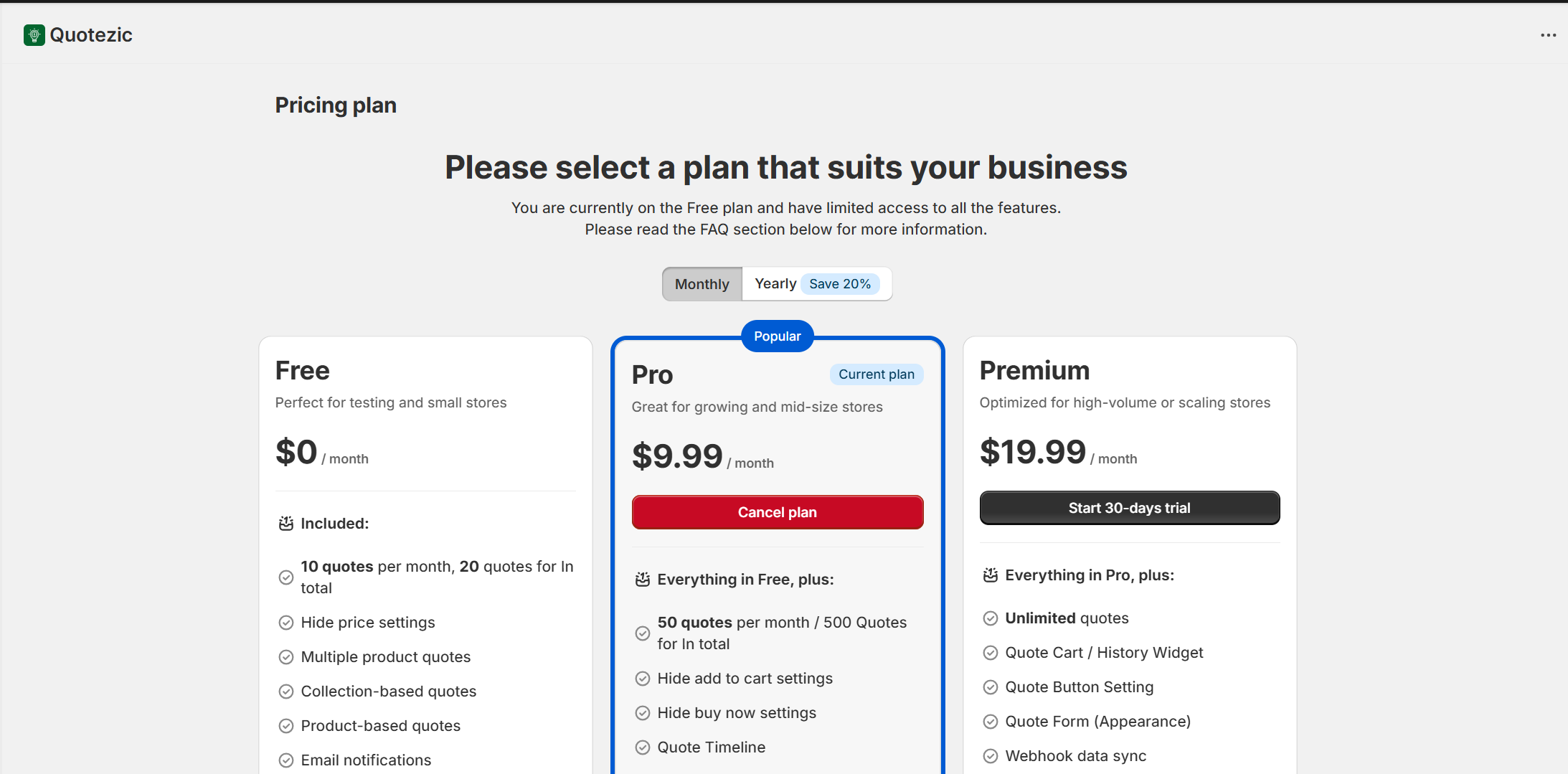
You will see the available plans (Free, Pro, Premium).
Upgrading or Downgrading Your Plan #
Step 1: Choose Monthly or Yearly #
At the top of the pricing page, you can toggle between:
- Monthly billing
- Yearly billing (Save 20%)
Step 2: Select Your Desired Plan #
Click on:
- Start 30-days trial (for paid plans)
- Or select another plan if switching
Before confirming, ensure:
- You selected the correct billing cycle (Monthly or Yearly)
- You selected the correct plan (Pro or Premium)
Shopify Subscription Approval #
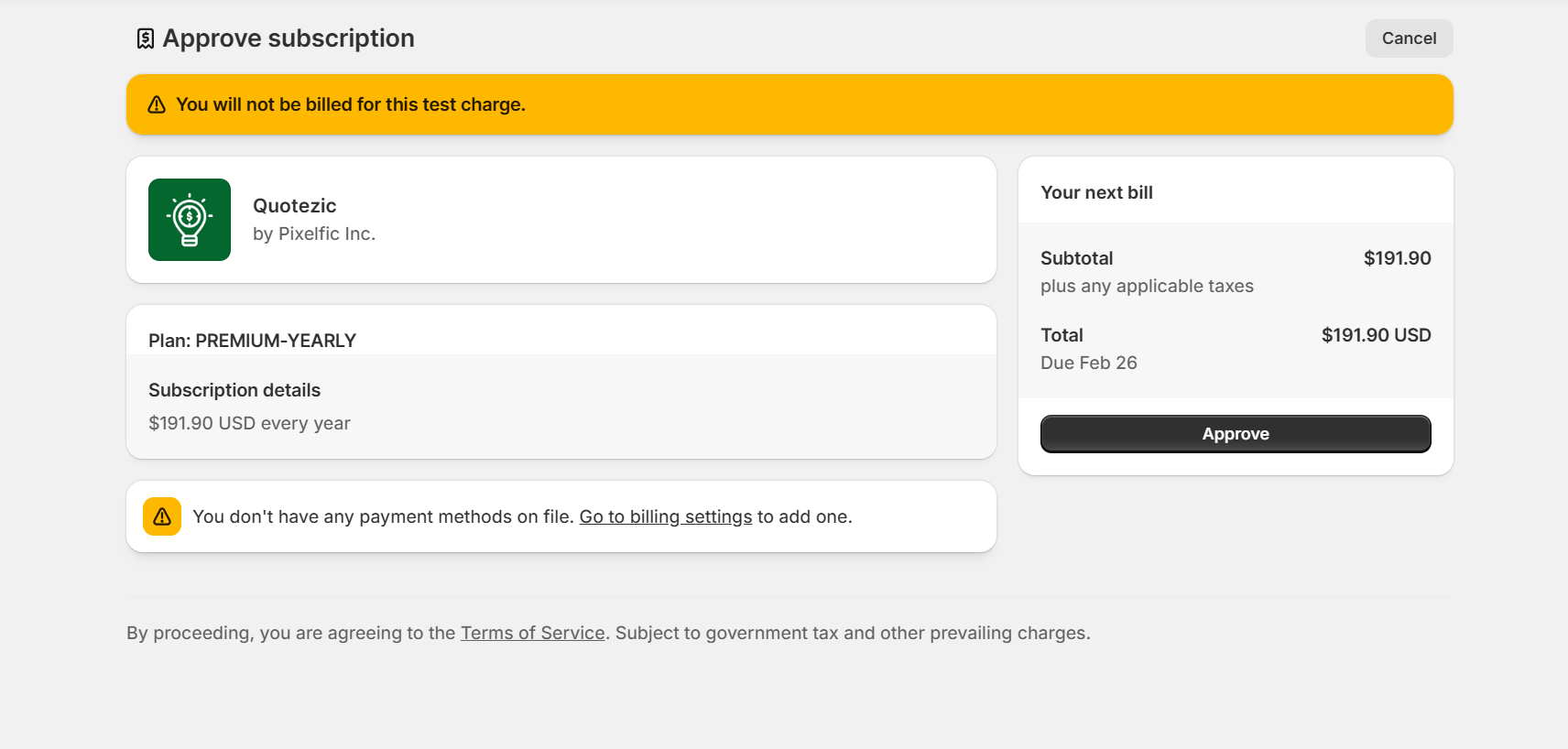
After selecting a paid plan, Shopify will open a secure Approve Subscription page.
Here you will see:
- Plan name (e.g., PREMIUM-YEARLY)
- Billing amount
- Next billing date
- Total charge
- Trial information (if applicable)
⚠️ If you are on a trial, you will not be charged immediately.
To continue:
- Review the billing details
- Click Approve
Once approved, your plan will be activated instantly.
Canceling Your Plan #
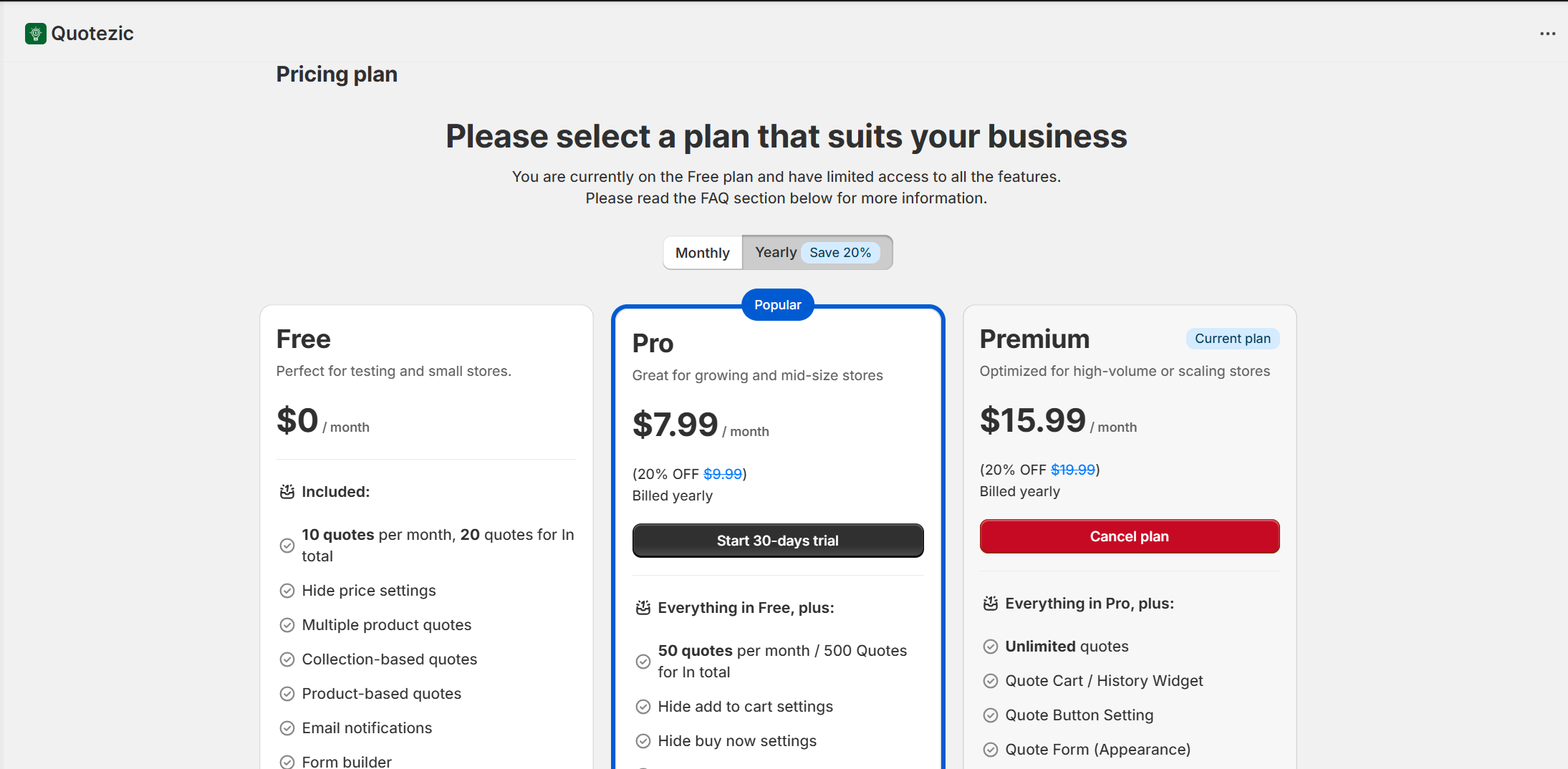
To cancel your current subscription:
- Go to Quotezic → Pricing Plan
- Click on your Current Plan
- Select Cancel Plan
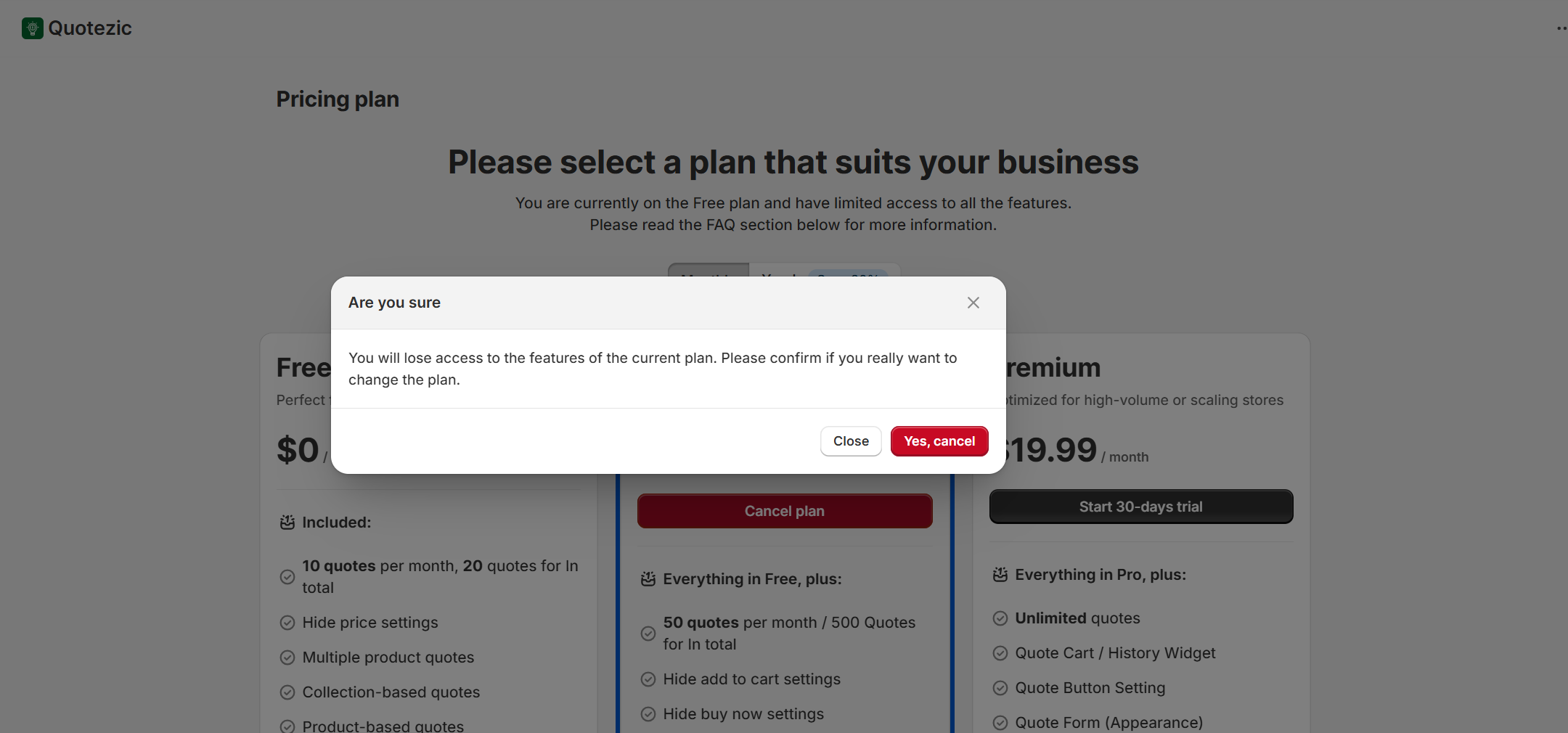
After cancellation:
- Your plan remains active until the end of the billing cycle
- You will automatically move to the Free plan after expiration
- Paid features will be restricted
Updating Your Payment Method #
If Shopify shows:
“You don’t have any payment methods on file”
You must add a payment method in Shopify:
- Go to Shopify Admin → Settings → Billing
- Add or update your payment method
- Return to Quotezic and retry subscription approval
All billing and payment details are managed securely by Shopify.
How Plan Changes Affect Your Store #
When Upgrading: #
- Features unlock immediately
- Quote limits increase instantly
- Advanced features become available
When Downgrading: #
- Feature access adjusts to the new plan
- If you exceed limits (e.g., quote submissions), new submissions may be restricted
When Canceling: #
- Access continues until the billing period ends
- After expiration, you revert to the Free plan limits
Need Help? #
If you experience issues with billing or subscription approval:
- Ensure Shopify billing is active
- Check your payment method
- Contact Quotezic support
